A task is a branch, a worktree and a stack
Your setup hook runs in each new worktree, your dev server keeps running beside it, and every task gets ports of its own, so two of them can run the same app at once.
A Rust-based desktop app that prepares you for the next swarm of agents
Run coding agents side by side, each on a branch and in a worktree of its own.
Give Swarmed a git repository and say what you want done. It creates a branch and a worktree for the task, sets it up with ports of its own, and starts an agent there: Claude Code, Codex, OpenCode, Antigravity or any agent that speaks the Agent Client Protocol.
curl -fsSL https://raw.githubusercontent.com/ryckakas/swarmed/main/install.sh | shbrew install --cask ryckakas/tap/swarmedcargo install swarmedThe releases are built for macOS so far. What each of these puts where is on the install page.
A task is a branch, a worktree and a stack
Your setup hook runs in each new worktree, your dev server keeps running beside it, and every task gets ports of its own, so two of them can run the same app at once.
Any agent, on its own login
Claude Code runs as you set it up, with your login, settings and plugins. Others are installed
and set up from Settings → Agents. Swarmed never signs you in to anything and keeps no GitHub
token: it uses each agent’s own login and your gh.
One pool of MCP servers and skills
A server set up for Claude Code, Codex or OpenCode reaches the other agents too, and so does a skill, without copying anything into their configuration.
Supervise from one window
Permission requests, questions and plans are answered in the conversation, and a notification says when a session needs you.
Answers you can see
An agent can answer with HTML, such as a chart, a table or a mock-up, and Swarmed shows it in the conversation, in a sandbox with no way out to the app or the network.
From prompt to pull request
The task’s diff, comments on lines sent back to the agent, commit, push, and a pull request with its checks.
Made yours, by hand or by an agent
Palettes, a layout of your own, the terminal and the status line, buttons that send a prompt or run a command, saved prompts, rules and environments. An agent changes the looks at once, and proposes rules, environments and commands for your yes.
No files of its own in your repository
Swarmed keeps its configuration and state in a folder of its own. The repository gains only the
tasks’ branches, and their worktrees live under ~/swarmed.
Projects, tasks and sessions in the sidebar, the conversation in the middle, and the task’s changes, pull request and checks beside it.
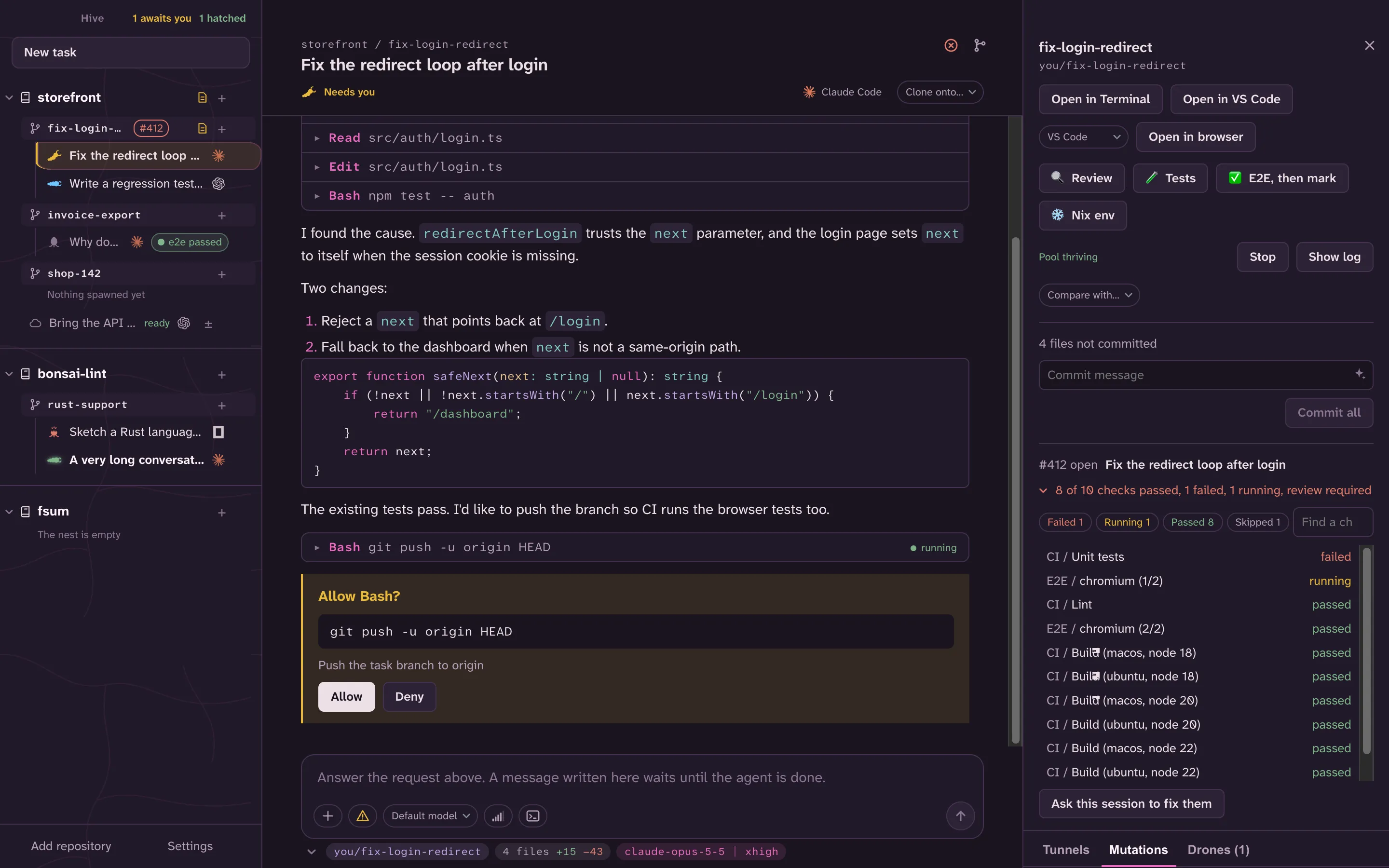
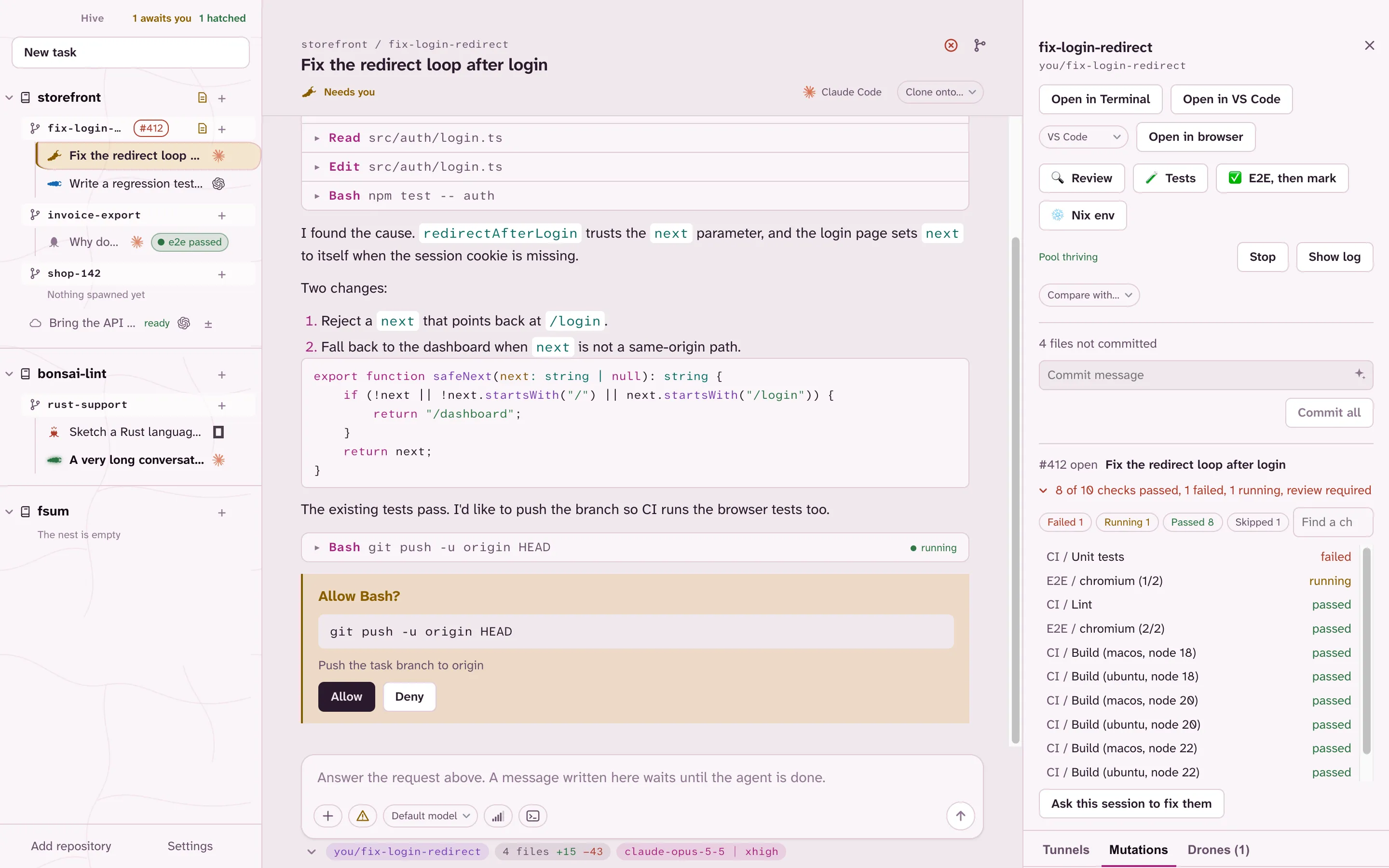
The swarmed command drives the same core as the app, on the same data.
swarmed project add ~/code/shopswarmed task new shop fix-loginswarmed session run shop fix-login "Fix the login form's error message"Your first task goes on from there, and the command’s page is the map of the rest.
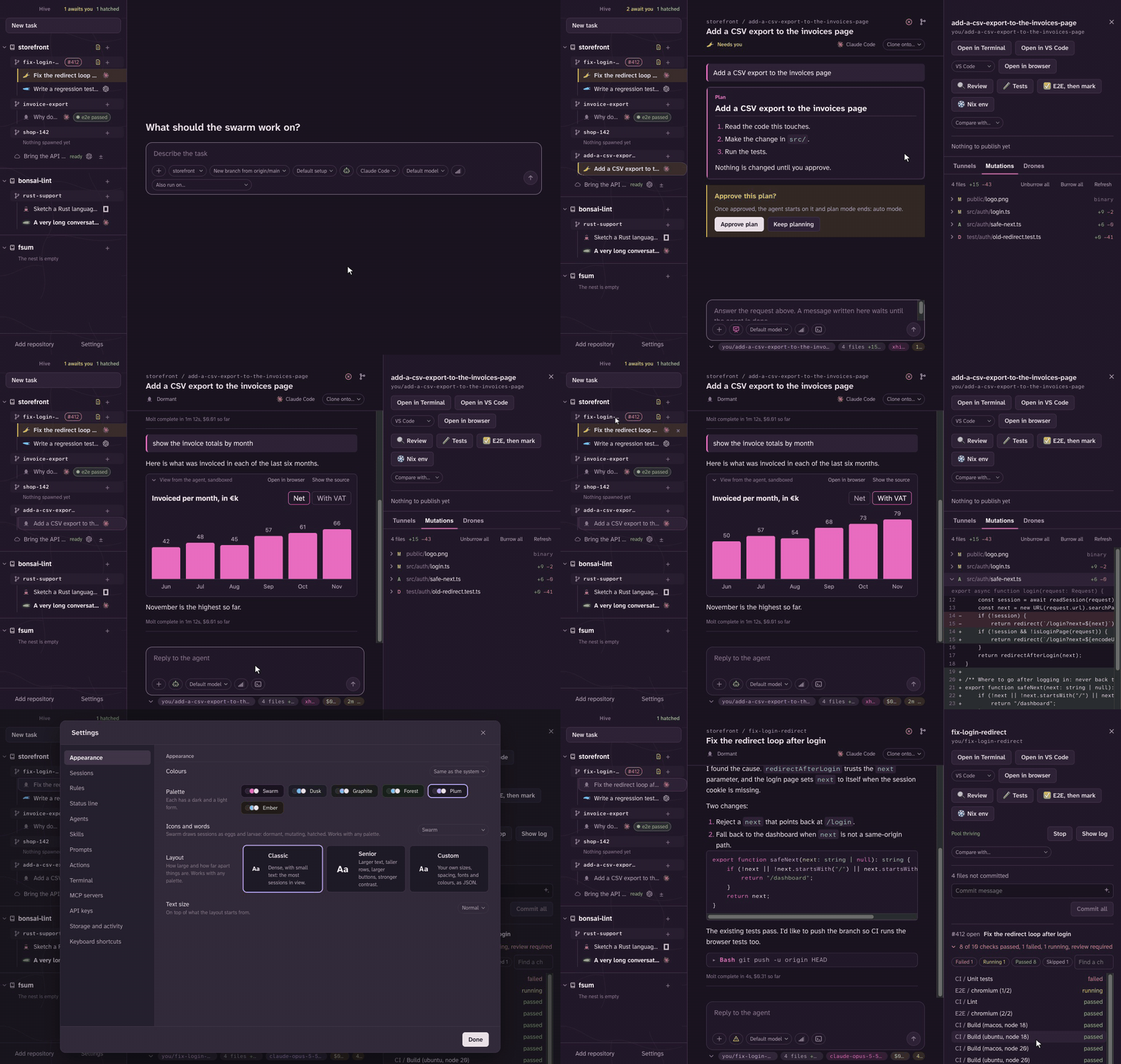
The screenshots and the recording show sample data, not anyone’s real projects.